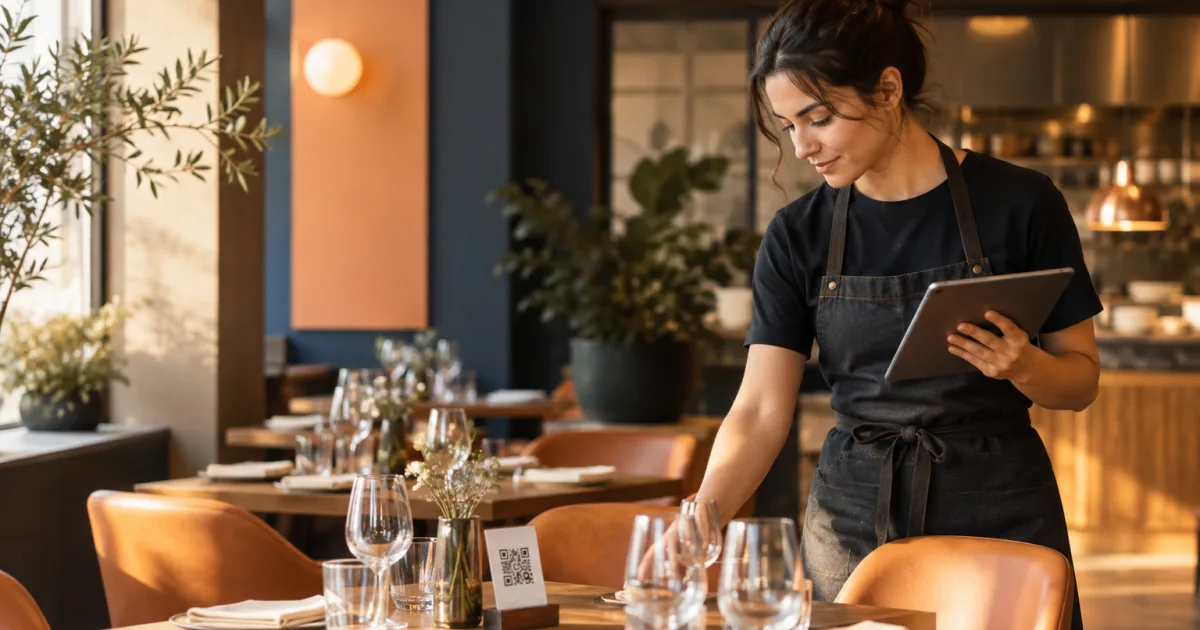
For a small restaurant or café, the information customers see before they visit is part of the service. A guest may scan a QR code to check the menu, then make an online reservation for a particular time. If the menu lists a dish that is unavailable, or the booking information does not reflect the service you can offer, the guest’s expectations may not match what the team can provide.
Keeping these details reliable does not require treating them as one system. Menu information and reservation availability are separate operating tasks, and they may be managed in different places. The practical goal is to coordinate the checks: assign responsibility, review each area at an appropriate time, and make sure staff know what has changed. This simple restaurant QR menu and reservation workflow can help a small team keep its customer-facing information current without assuming that one tool automatically updates another.
Why menu accuracy and booking availability need separate checks

A digital menu answers questions about food and drink: what is offered, what it costs, and whether a dish is currently available. Reservation information concerns when the restaurant is accepting bookings and how tables, areas or a waiting list are organised. These details affect different parts of the guest journey, so they need their own review.
They are also connected in practice. A sold-out dish can affect what a guest expects at dinner, while a change to a service or the areas available may affect which reservations the team can accommodate. A coordinated review helps staff spot these changes, but it should not blur responsibility. The person confirming dish availability may not be the person managing the booking schedule.
Start by deciding who owns each check. In a small team, one person may cover both, or responsibilities may be split between a manager, kitchen lead and front-of-house staff. Either arrangement can work if everyone knows who makes the final decision and how to communicate a change.
Review dish availability, prices and menu accuracy before service
Set a regular menu review point before service, ideally when the team has enough information to confirm what can actually be offered. The exact timing will depend on how your restaurant operates. The important thing is to make it predictable, rather than relying on someone to notice an outdated item while serving guests.
Work through the menu systematically. Confirm that listed dishes and drinks are still being offered, check prices against the current decisions for service, and identify anything temporarily unavailable. Look for less obvious details too: a special that has ended, an item that has returned, or wording that no longer describes what the kitchen plans to serve. Keep the review focused on the information customers can see and use.
When something changes, agree who will make the customer-facing update and who will confirm it is correct. With QR Menu for publishing and updating a digital restaurant menu, a restaurant can change dishes, prices and availability without reprinting menus. It provides a clear digital menu that customers can open from a QR code without installing anything. The team still needs to decide what the current information should be and check that the published menu reflects that decision.
A useful rule is to avoid treating “we told the team” as proof that the digital menu has been updated. Record the change, name the person responsible for making it, and verify the customer-facing version. If a dish is expected to return later, make a note of when someone should review its availability again rather than leaving a temporary change indefinite.
Review reservation services, tables and waiting-list organisation separately
Make a distinct reservation check rather than assuming the menu review covers bookings. Confirm which services are open for reservations and whether their availability reflects the plan for the day. Consider whether the tables or areas you intend to use are organised as expected, and whether the waiting list needs attention. These checks are especially useful when a service, room or operating plan has changed.
Be clear about what “available” means for your restaurant. It should reflect the team’s current decision about the service and the tables or areas it can offer—not simply what was set up on a previous day. If staff are making changes, establish who is allowed to confirm them and who checks the final booking view. This prevents uncertainty about whether a table or service has been deliberately held back or accidentally left open.
A reservation tool can make this review easier to organise. Restaurant reservations for managing online bookings and table availability supports receiving reservations online, controlling availability for each service, and organising tables, areas and the waiting list. Those are useful parts of the booking task, but they do not replace a restaurant’s decision about what it can accommodate on a particular service.
Keep the booking review specific. Instead of asking only, “Are reservations okay?”, ask whether the intended services are available, whether table and area organisation reflects the current plan, and whether the waiting list has been handled as intended. A few concrete questions are easier for a busy team to answer consistently.
Make a lightweight handoff between menu and booking checks
The two reviews do not need to become a long meeting. A short handoff can connect the people responsible for each area and surface changes that affect both. For example, the menu reviewer can flag a dish change that front-of-house staff should know about, while the person checking reservations can share a change to the service plan that may affect what the team is offering.
Use one simple record that suits your team, such as a shared shift note or a paper checklist. It does not need to be a new system. Include the date or service, who completed each check, changes made, and anything still unresolved. If a task is waiting on a decision, identify who will follow up and by when. That makes a note actionable instead of leaving the next person to guess.
Keep the handoff factual and concise. Separate confirmed changes from items that are still being checked. If a menu update is pending, say so; do not let a booking check imply that the digital menu has been changed. Likewise, an update to the menu should not be taken as confirmation that reservation availability has been reviewed. Keeping those distinctions explicit avoids suggesting that separate tools share information automatically.
Use a close-of-review checklist
Before the review is considered complete, confirm the customer-facing information and record any exceptions. A checklist can be short enough to use on a busy day:
- Menu: Have dish and drink availability, prices and relevant descriptions been checked for this service?
- Menu update: If information changed, has the responsible person updated and checked the digital menu?
- Reservations: Have the intended services and their availability been reviewed?
- Tables and areas: Does the booking organisation reflect the current service plan?
- Waiting list: Is there anything the team needs to follow up?
- Handoff: Are unresolved decisions, owners and next steps recorded for the relevant staff?
The checklist should support judgement, not replace it. If a change is uncertain, record that uncertainty and assign a follow-up instead of treating the review as complete. When plans change after the pre-service check, repeat the relevant part of the process and communicate the update to the people who need it.
Review the routine occasionally as well. If the same item is repeatedly missed, adjust who owns that check or when it happens. If a question keeps coming up during service, make it more explicit on the checklist. A small process is most useful when it reflects the way the restaurant actually works.
Conclusion: make the pre-service review clear and repeatable
Reliable customer information comes from clear ownership and timely checks. Review menu accuracy and availability separately from reservation services, tables, areas and waiting-list organisation, then use a brief handoff to connect the two. Record changes and unresolved items so staff can see what has been checked and what still needs attention.
Use a short pre-service review to check both customer-facing menu details and reservation availability, with each team member clear on their part. That gives your team a practical routine for keeping the digital menu and booking information aligned with the decisions made for the service—without relying on an automatic connection between them.